
Company Profile
To configure the company information, go to SETTINGS/Company Profile
GENERAL
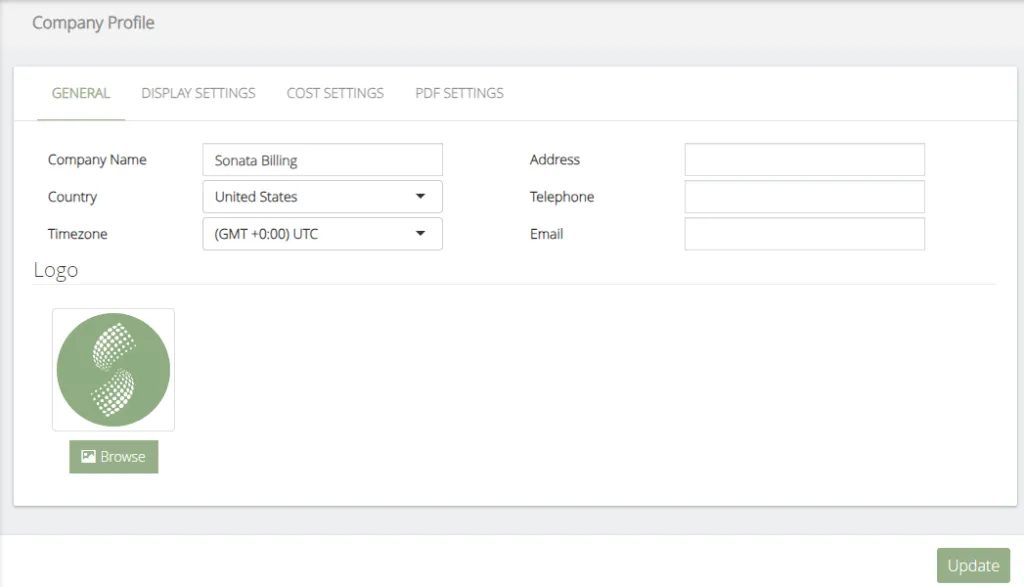
The data to be configured are the following:
-
Company Name, on behalf of the company. This will appear in the header of all reports.
-
Country, Country where the PBX is installed.
-
Timezone, Time Zone is used as the default time zone when creating system users.
-
Address, Company Address (Optional)
-
Telephone, Company Phone (Optional)
-
Email, Company Email (Optional)
-
Logo, company logo, it will appear in the header of all reports.
DISPLAY SETTINGS
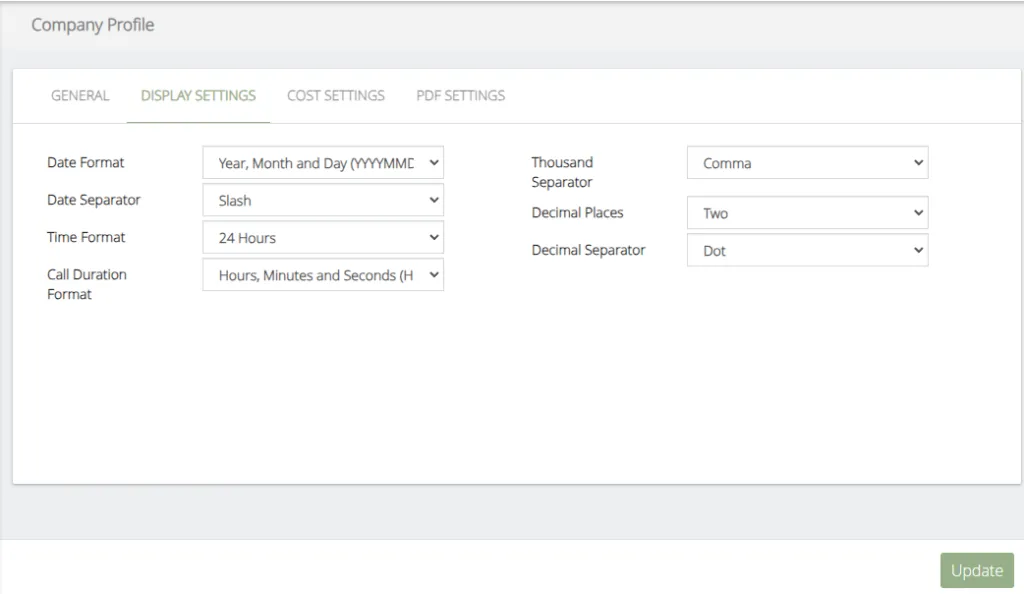
The data to be configured are the following:
-
Date Format, select a desired date format to display in the reports and interface.
-
Date Separator, type of separator for the date to be shown in the reports and interface.
-
Time Format, select the time format to be displayed in the reports and interface.
-
Call Duration Format, select the format of call duration to show in the reports and interface.
-
Thousand Separator, type of thousands separator to show the cost of the calls in the reports and interface.
-
Decimal Places, number of decimals of call costs to be displayed in the reports and interface.
-
Decimal Separator, type of decimal separator to show the cost of the calls in the reports and interface.
COST SETTINGS
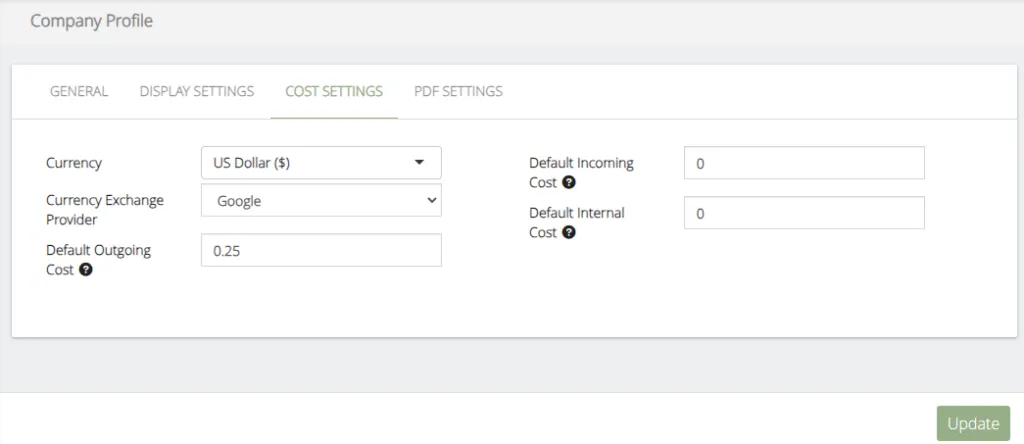
The data to be configured are the following:
-
Currency, local currency.
-
Currency Exchange Provider, Exchange Rate Provider (Google or Yahoo)
-
Default Outgoing Cost, cost of outgoing calls when no tariff associated with it is found.
-
Default Incoming Cost, cost of incoming calls when no tariff associated with it is found.
-
Default Internal Cost, cost of internal calls when no tariff associated with it is found.
PDF SETTINGS
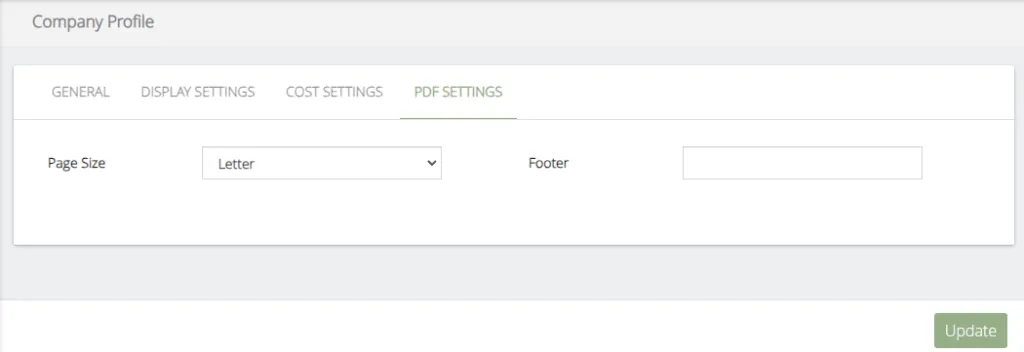
The data to be configured are the following:
-
Page Size, page size to use for generating reports.
-
Footer, Legend that will appear in the footer of all reports.
Was this article helpful?
Your feedback helps us improve the documentation.
Thank you for helping us improve!