
General
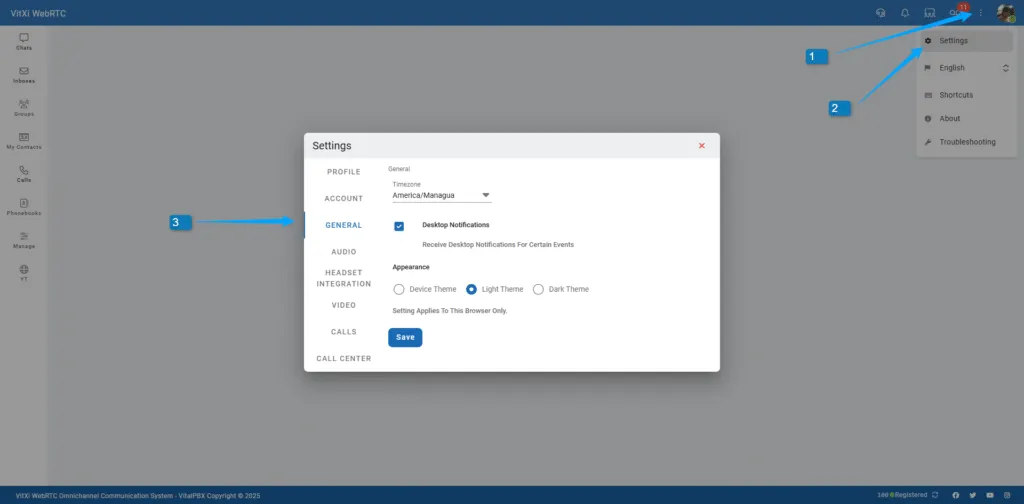
This section allows you to configure global behavior for the VitXi interface.
-
Timezone – Adjusts timestamps in chats and call history.
-
Desktop Notifications – Enables popup alerts for calls or messages.
-
Appearance (this setting only affects the current browser)
-
Device Theme – Follow the system’s theme automatically.
-
Light Theme – Use a bright interface style.
-
Dark Theme – Switch to a dark, eye-comfortable appearance.
-
Was this article helpful?
Your feedback helps us improve the documentation.
Thank you for helping us improve!