
Click to Call with VitXi WebRTC
Easily start calls from any webpage, CRM, or contact list using Click to Call links.
When you click a number (like a tel: link), VitXi opens automatically and starts the call.
How It Works
Section titled “How It Works”If VitXi WebRTC is open or installed, clicking:
tel:1001will launch VitXi and call extension 1001 instantly.
Example in Action
Section titled “Example in Action”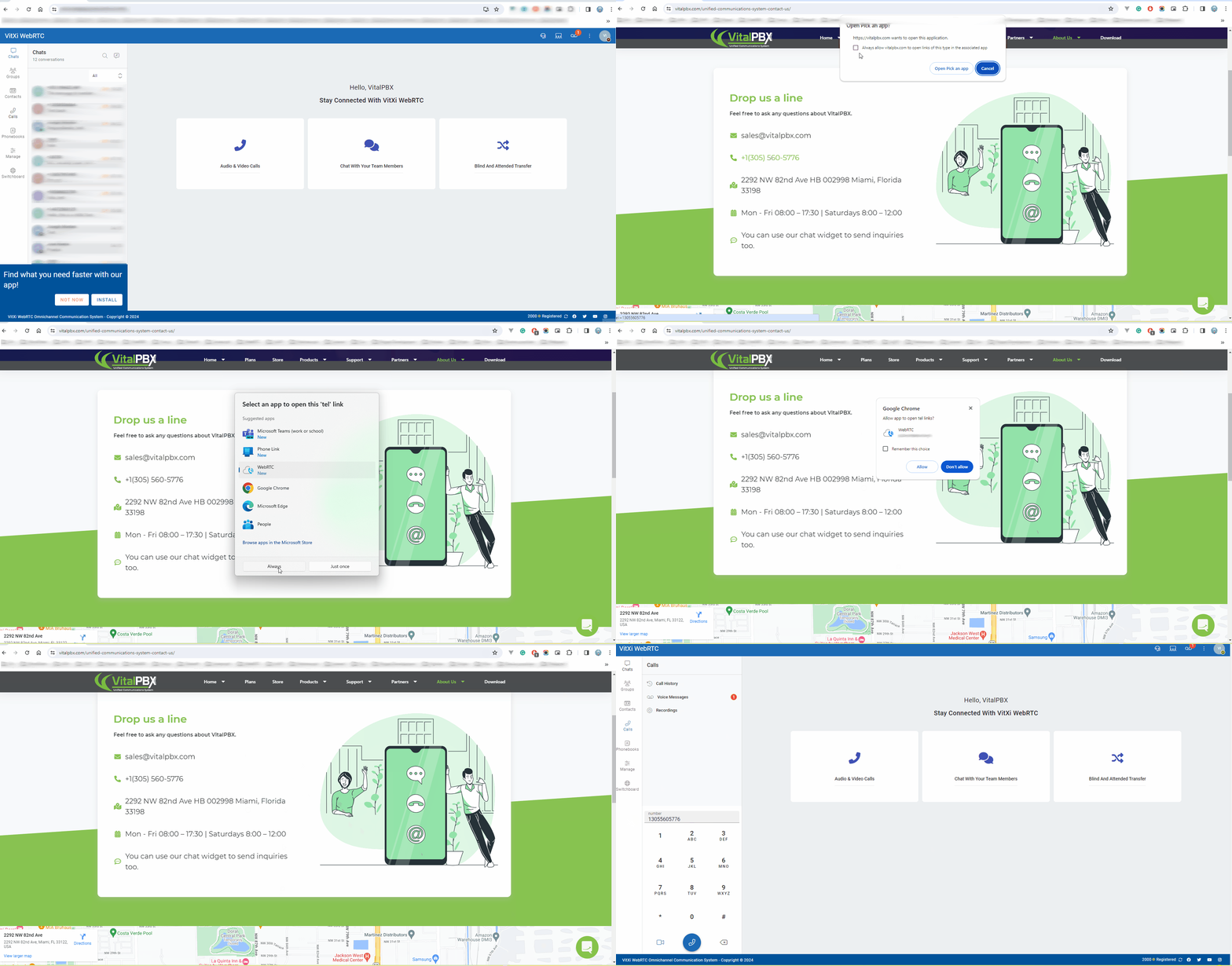
A clickable phone number (“tel:”) automatically opens VitXi WebRTC and starts the call.
Supported Formats
Section titled “Supported Formats”tel:1001tel:+15551234567VitXi supports internal extensions, external numbers, and SIP URIs.
Where You Can Use It
Section titled “Where You Can Use It”-
CRM systems (HubSpot, SuiteCRM, etc.)
-
Company directories or web dashboards
-
Email signatures
-
Web portals or intranets
Requirements
Section titled “Requirements”-
VitXi WebRTC must be running or installed as a PWA
-
The website uses HTTPS
-
Your extension is registered and active
-
Make sure VitXi is the default handler for
tel:links. -
If it doesn’t launch, refresh your session or reinstall the PWA.
✅ That’s it!
With Click to Call, you can dial any number from your browser in one click using VitXi WebRTC.
Was this article helpful?
Your feedback helps us improve the documentation.
Thank you for helping us improve!