
Account
Here users can manage security and authentication settings.
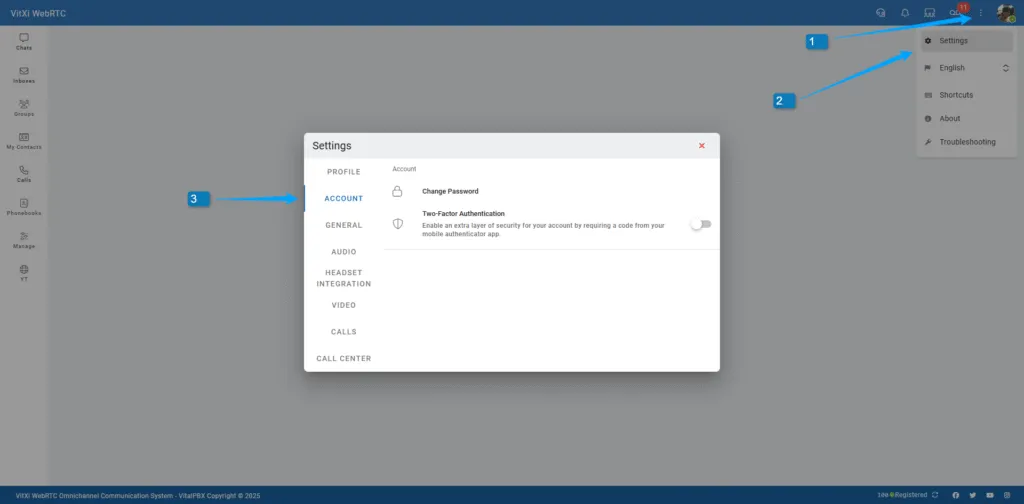
Change Password
Section titled “Change Password”Update your VitXi WebRTC login password securely.
Two-Factor Authentication (2FA)
Section titled “Two-Factor Authentication (2FA)”Enable or disable 2FA to protect your account.
VitXi supports the following authentication apps:
-
Microsoft Authenticator
-
Google Authenticator
-
Twilio Authy
When enabled, users must enter a verification code from their chosen app during login.
Was this article helpful?
Your feedback helps us improve the documentation.
Thank you for helping us improve!