
Report Scheduler
Here, we will schedule the date, time, and period through which a previously built report will be sent.
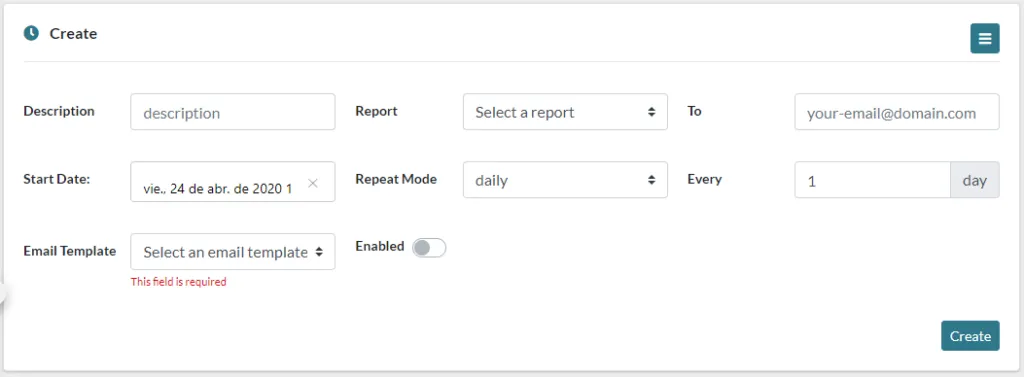
These are the options you have to configure for the automatic reports:
-
Description, a brief description to identify the report schedule.
-
Report, report to be sent, previously created in Report Builder.
-
To, email to which we are going to send the report.
-
Start Date, date and time we wish to start sending the reports.
-
Repeat Mode, the interval in which we want to send the reports.
-
Every, how often we wish to apply the Repeat Mode, for example, if we wish to send it weekly, but being every two weeks, here we can input 2.
-
Weekdays, this option only appears if we have set the Repeat Mode weekly. Here, we select the days of the week we wish to perform the task.
-
Email Template, we select a previously created email template.
-
Enabled, Enable or disable the scheduled sending, This option is useful since it lets us stop the task without having the delete it completely.
Was this article helpful?
Your feedback helps us improve the documentation.
Thank you for helping us improve!