
Call Center
For users with call center permissions, this section controls agent queue behavior and CRM interaction.
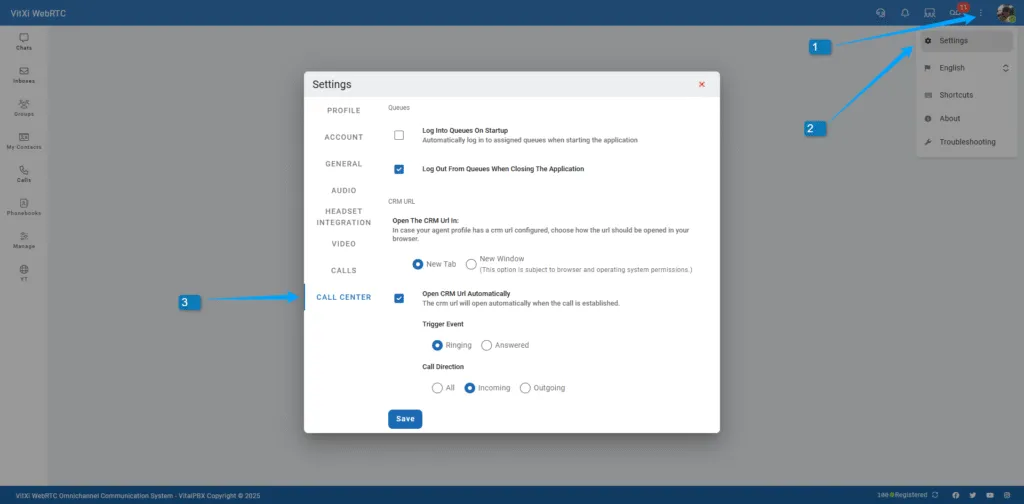
-
Log Into Queues on Startup – Automatically joins assigned queues when starting the app.
-
Log Out from Queues when Closing the Application – Auto log-out to maintain queue accuracy.
CRM URL Options
Section titled “CRM URL Options”If a CRM URL is configured in the user’s assigned Agent Profile, you can choose how to open it:
-
Open in:
-
New Tab
-
New Window
-
-
Open CRM URL Automatically:
-
Trigger Event: Ringing / Answered
-
Call Direction: All / Incoming / Outgoing
-
This allows automatic or manual opening of customer records based on call context.
Was this article helpful?
Your feedback helps us improve the documentation.
Thank you for helping us improve!