
PBX Settings
Although these parameters are configured when installing the App, it is possible to modify them later. To modify these initial settings, go to Settings/PBX Settings.
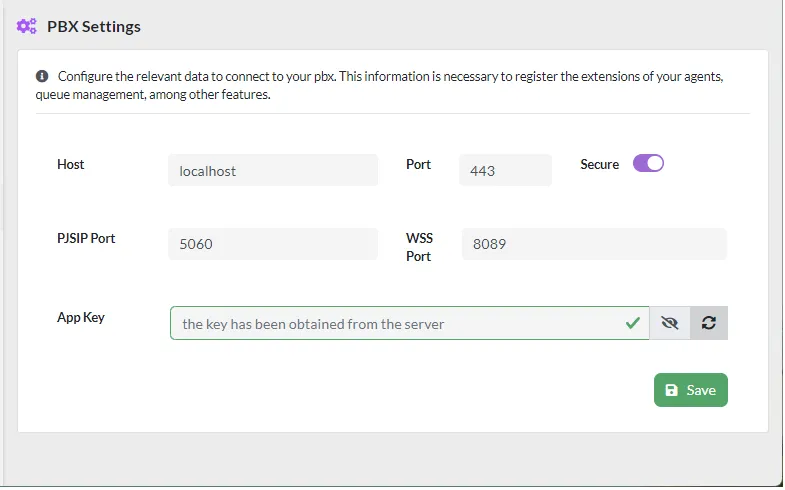
The parameters that can be configured are as follows:
-
Host, server where VitalPBX is installed, if the dialer is installed on the same server as VitalPBX, you must select localhost.
-
Port, configuration port, usually 443.
-
Secure, secure connection. You must select.
-
PJSIP Port, registration port for PJSIP extensions.
-
WSS Port, port for WebRTC to work.
-
App Key, when using the dialer on the same VitalPBX server it is not necessary to add an API Key.
Was this article helpful?
Your feedback helps us improve the documentation.
Thank you for helping us improve!