
Run on Device Login
Make VitXi WebRTC launch automatically when you start your computer.
This feature ensures you’re always ready to receive calls and notifications — without manually opening the app every time.
Requirements
Section titled “Requirements”-
VitXi must be installed as a PWA (Progressive Web App).
-
Supported browsers: Google Chrome and Microsoft Edge.
Enable “Run on Login” in Chrome
Section titled “Enable “Run on Login” in Chrome”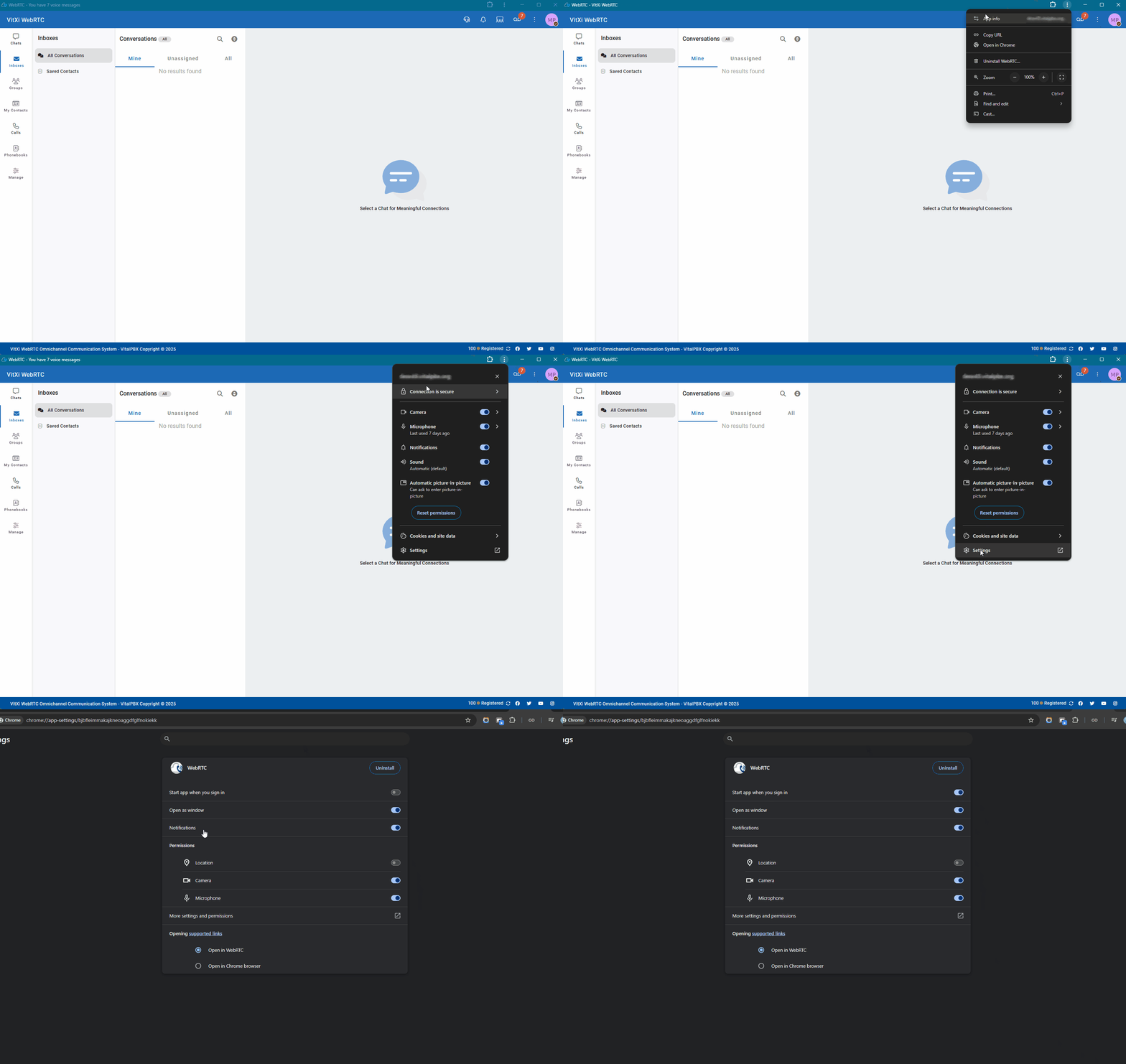
Enable “Run on Login” in Microsoft Edge
Section titled “Enable “Run on Login” in Microsoft Edge”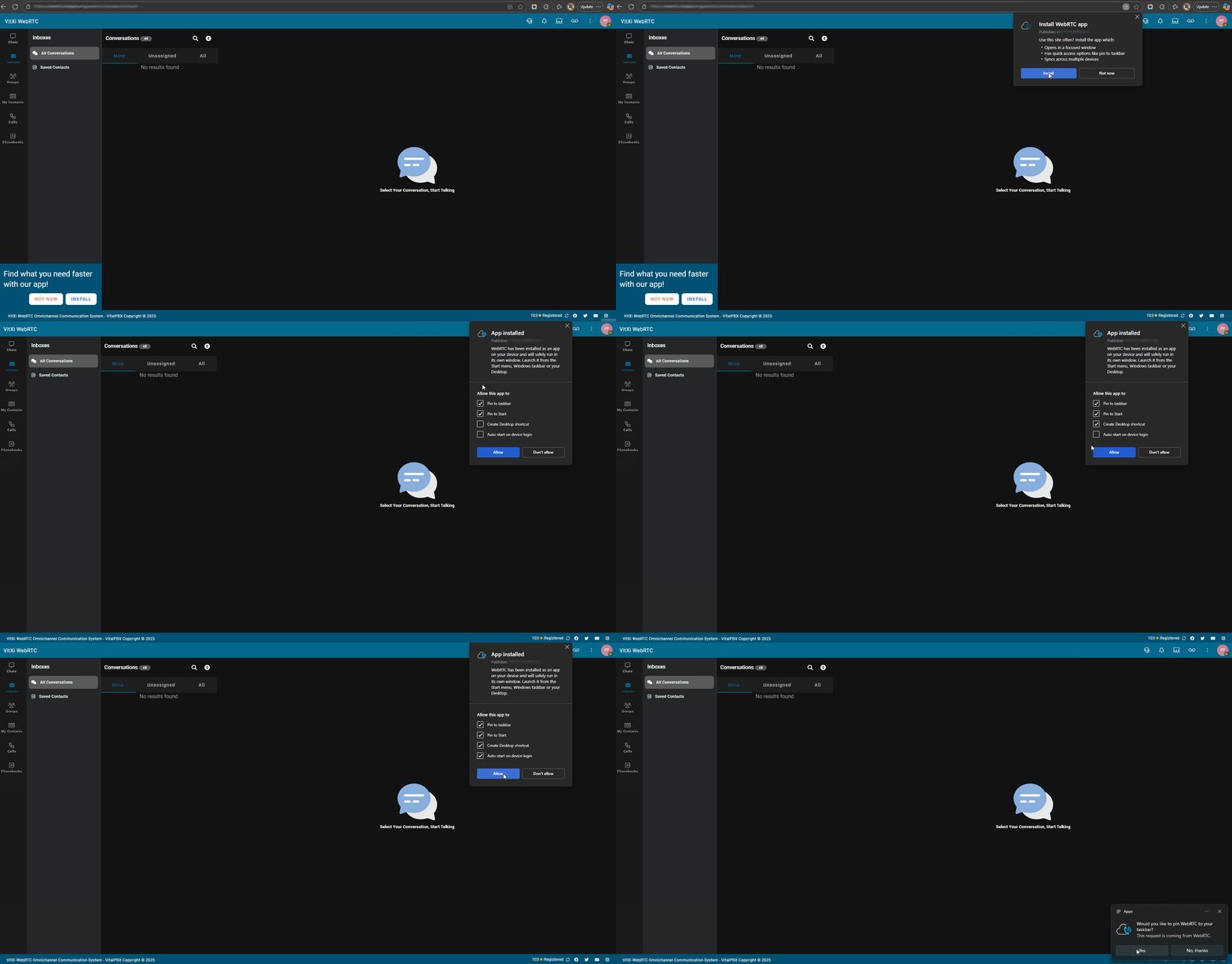
-
You can disable this anytime from the same menu.
-
Works when VitXi is installed with a valid HTTPS certificate.
-
Ideal for call center agents or users who need to stay available after reboot.
Was this article helpful?
Your feedback helps us improve the documentation.
Thank you for helping us improve!