
Headset Integration
VitXi offers native headset integration for supported telephony headsets.
This allows users to control calls (answer, hang up, mute, hold) directly from their headset buttons.
Compatible with most USB and Bluetooth telephony headsets that support HID telephony protocols.
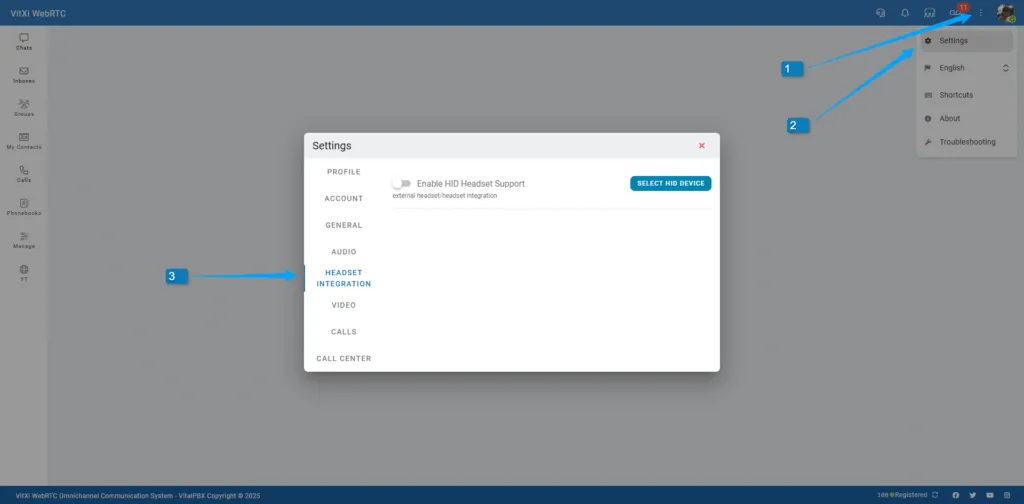
With HID integration, you can use your headset’s buttons and LEDs for actions such as:
-
Answer or end a call
-
Mute/unmute your microphone
-
Hold/unhold a call
-
Trigger ring alerts via the base station (when supported)
How It Works
Section titled “How It Works”Once a supported headset is connected:
-
VitXi automatically detects and pairs it via WebHID API.
-
The headset’s buttons sync with call events in real time.
-
LED indicators and ringers reflect call states (e.g., incoming, muted).
✅ No extra driver or plugin is required — use Google Chrome or Microsoft Edge with HTTPS enabled.
Tested Headsets
Section titled “Tested Headsets”| Headset Model | Answer | Ringer | Hold/Unhold | Mute/Unmute | Hang Up | Cancel Outgoing Call | Notes |
|---|---|---|---|---|---|---|---|
| Yealink UH36 | yes | yes | yes | yes | yes | yes | ✅ Fully supported |
| Plantronics Blackwire 3225 | yes | yes | yes | yes | ⚠️ warning | yes | Hang up requires two presses |
| Poly DA85 | yes | yes | yes | yes | ⚠️ warning | yes | Hang up requires two presses |
| Yealink WH62 | yes / auto-answer when undocked | yes / base station ringer support | — | yes | — | — | — |
| Jabra PRO 9470 (beta) | yes | base station ringer support | yes (sync LEDs/state with base station) | yes | no | no | — |
Browser Requirements
Section titled “Browser Requirements”| Browser | Supported | Notes |
|---|---|---|
| Google Chrome | Yes | Full HID support |
| Microsoft Edge | Yes | Recommended for Windows |
| Safari | No | HID not supported on Safari |
If your headset doesn’t respond:
-
Make sure you allow device access when prompted by the browser.
-
Disconnect and reconnect your headset.
-
Use Chrome or Edge over a secure (HTTPS) connection.
Was this article helpful?
Your feedback helps us improve the documentation.
Thank you for helping us improve!